Key Takeaways
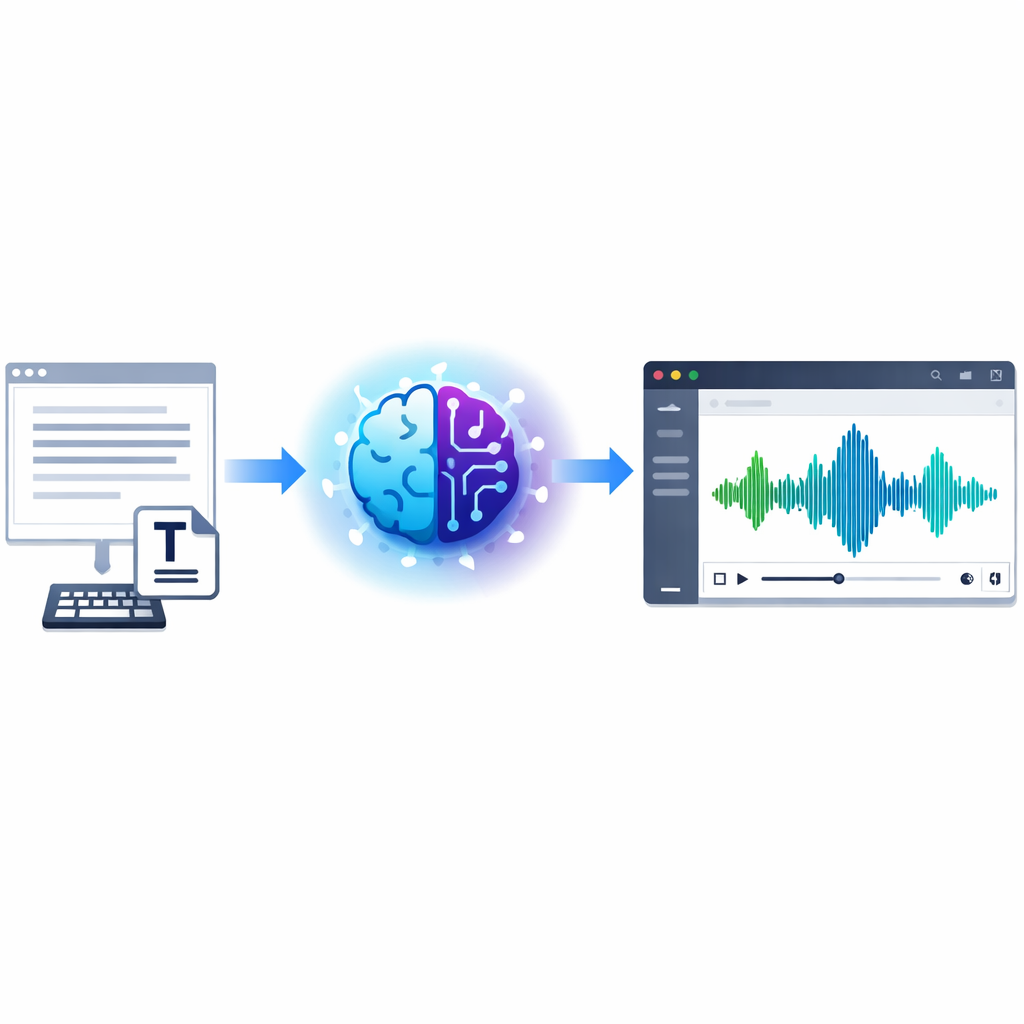
- AI text to voice turns scripts into natural audio fast, which cuts production time and simplifies updates.
- Teams use it to lower voiceover costs, publish more content, and localize audio without a complex studio workflow.
- The best tools offer realistic voices, emotion controls, language support, and a simple browser-based editor.
- Revoicer stands out with 80+ AI voices, 40+ languages, emotion settings, and an online workflow built for non-technical users.
- Results improve when you write for speech, choose the right pacing, and match the voice to the audience.
AI text to voice is now a practical tool for marketers, educators, authors, and support teams. It helps people turn written scripts into spoken audio in minutes. That means fewer delays, faster edits, and a simpler way to create voice content at scale.
Why trust this guide: We reviewed product pages, current speech synthesis resources, and common business use cases. We focused on what matters in real work: voice quality, emotional range, language support, speed, and ease of use.
AI Text to Voice: Benefits, Uses & Best Tool
What Is AI Text to Voice and How Does It Work?
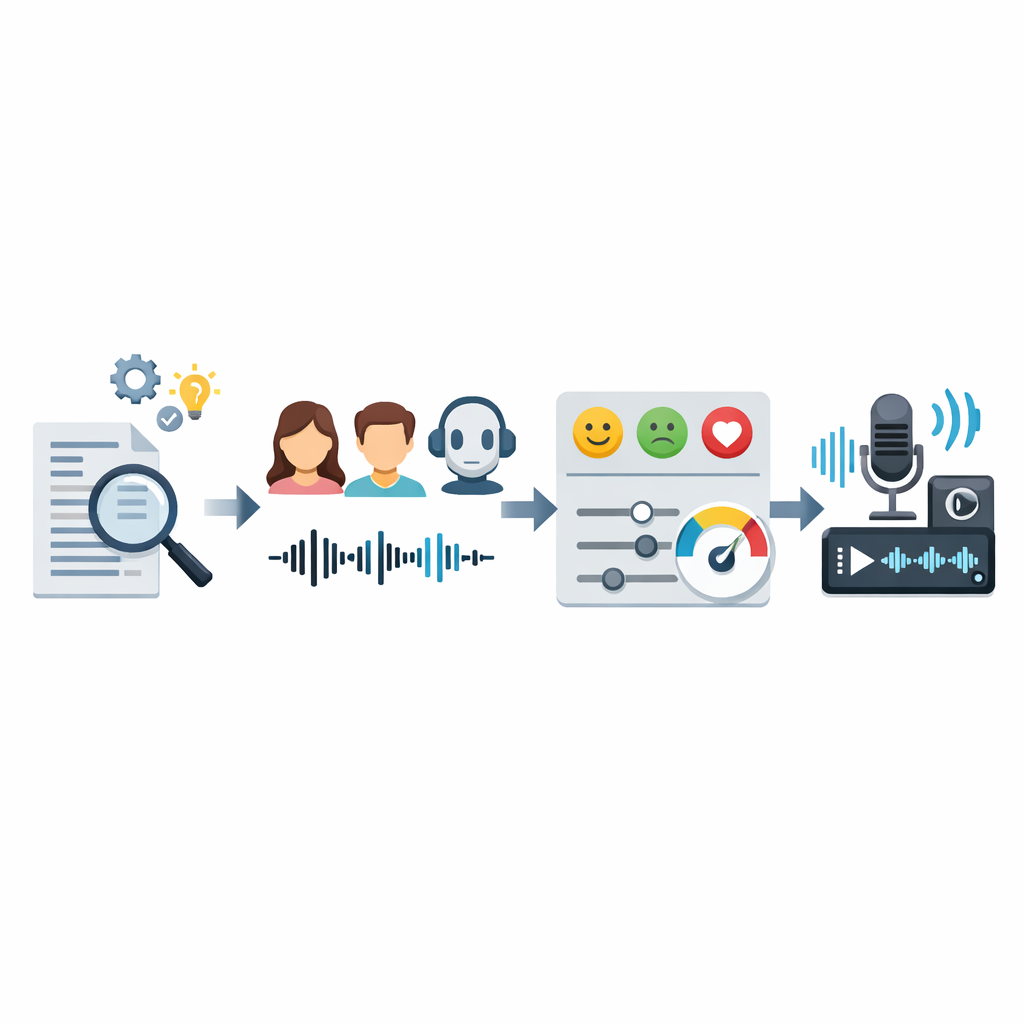
AI text to voice is software that turns written words into spoken audio. It uses machine learning models trained on human speech. Modern tools sound much more natural than older text-to-speech systems because they handle rhythm, pauses, pronunciation, and tone better.
The field has improved quickly. According to Wikipedia’s overview of speech synthesis, speech tools have moved from rule-based systems to neural models. For users, the big change is simple: audio can now be created on demand instead of recorded from scratch every time.
How AI Text to Voice Converts Written Content Into Speech
The process is easier to understand when broken into steps:
-
Text analysis: the tool reads punctuation, numbers, and sentence structure to predict how the script should sound.
-
Language modeling: it maps words into sounds, stress, and timing.
-
Voice generation: the system creates audio in the chosen voice, language, and style.
-
Final cleanup: the output is smoothed for better pacing and clarity.
In real use, that means a team can paste in a script, pick a voice, adjust speed, and export a voiceover in minutes.
What Makes Modern AI Voices Sound More Human
Three things matter most: good training data, strong neural models, and voice controls. Older tools often sounded flat. Newer ones can change pitch, speed, emphasis, and pauses in ways that feel closer to real speech.
🎙️ Natural cadence
Better timing and pause placement make speech easier to follow.
😊 Emotional variation
Voices can sound calm, upbeat, serious, or persuasive instead of monotone.
🌍 Localization
Teams can create multilingual audio without rebuilding the whole workflow.
Want to hear how modern AI text to voice can sound in real campaigns, explainers, or training content?
Why Businesses Are Switching to AI Text to Voice
Businesses use AI voice for one main reason: it removes friction. Traditional voice production can be slow and expensive. If one line changes, the team may need a new recording session. AI text to voice makes revisions much easier.
Save Time Compared to Traditional Voice Recording
Traditional voiceover often includes script approval, talent booking, recording, editing, review, and revisions. That can work for high-end productions, but it slows down fast-moving teams.
With AI text to voice, a marketer can update a price, a teacher can revise a lesson, or a support team can change a prompt and render a new version right away.
Reduce Voiceover Costs at Scale
Costs rise fast when you need many versions of the same message. Different languages, audience segments, and seasonal campaigns all add work. AI voice helps by turning one script into many outputs.
- Single script, many outputs: one draft can become multiple voices and languages.
- Lower revision costs: updates do not require booking talent again.
- More predictable production: teams can standardize audio across campaigns.
Create More Content Without Technical Complexity
Many tools are now browser-based and easy to use. That means non-technical users can create audio without learning studio software. For many teams, that is the real advantage. They can write, edit, preview, and export in one place.
| Workflow Factor | Traditional Recording | AI Text to Voice |
|---|---|---|
| Turnaround time | Hours to days | Minutes |
| Script revisions | Often needs re-recording | Instant re-render |
| Language expansion | New talent and process | Usually built in |
| Technical barrier | Moderate to high | Low in browser tools |
| Scalability | Limited by scheduling | High for repeat content |
Top Features to Look for in an AI Text to Voice Tool
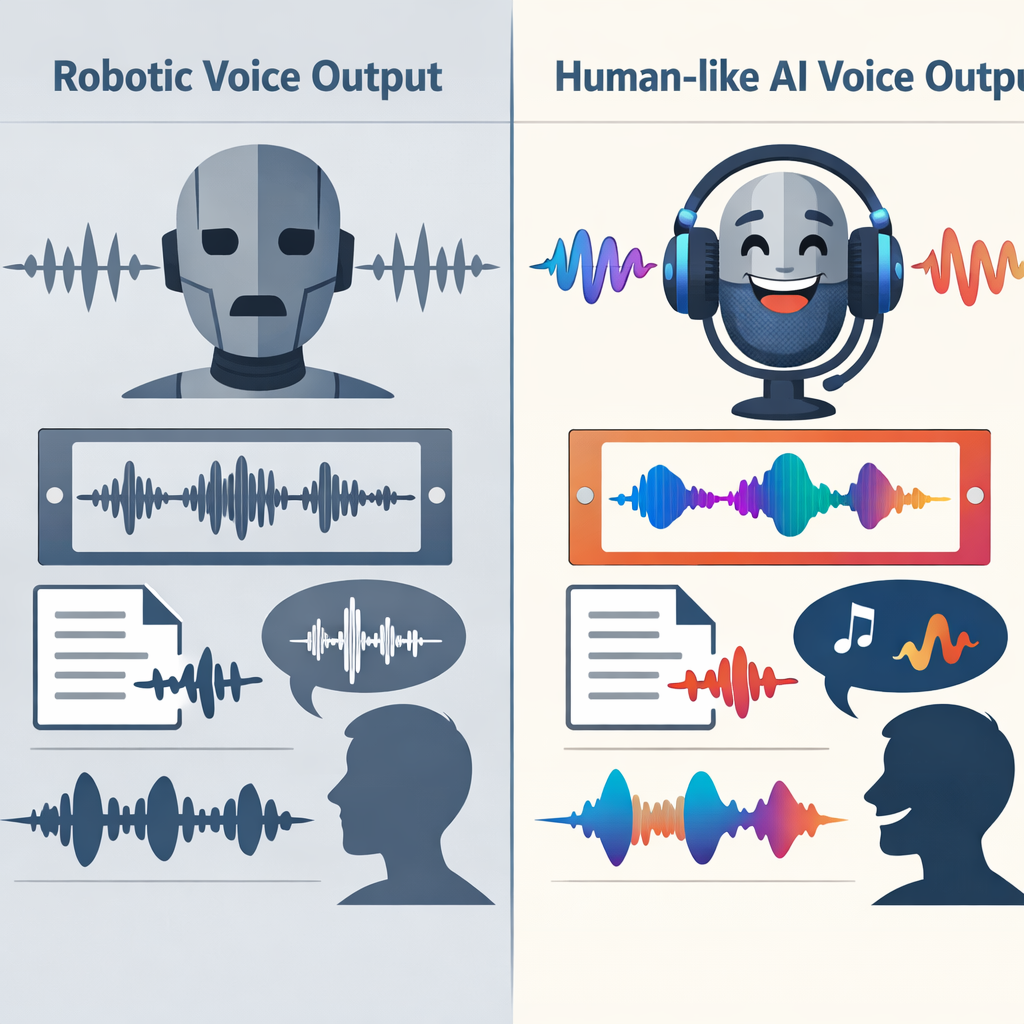
Not every tool is ready for real production. Some sound good in a short demo but struggle with long scripts or multilingual work. Focus on the features that affect daily use.
Emotion-Based Voice Generation for More Natural Delivery
Emotion controls matter because different content needs different delivery. Marketing often needs energy. Training needs clarity. Storytelling may need warmth. A flat voice can make even a good script sound weak.
Language and Voice Variety for Global Content
Global teams need more than translation. They need voices that fit local audiences. According to the Google Cloud Text-to-Speech documentation, modern speech systems support many languages and styles. In practice, you should still test pronunciation and pacing before publishing.
Custom Voice Settings for Pitch, Speed, and Style
Small changes can improve quality a lot. The ability to adjust pitch, speed, pauses, and emphasis helps match the voice to the script.
Why a 100% Online App Matters
A fully online app removes installation issues and makes collaboration easier. Writers, marketers, and reviewers can work in the same browser-based process instead of passing files around.
Best Use Cases for AI Text to Voice Across Industries

The best use cases have one thing in common: they need repeatable audio without repeated production delays.
Marketing and Sales Content
Marketing teams use AI text to voice for video ads, landing page explainers, webinar intros, social promos, and sales content. If a campaign needs several versions for different audiences, AI voice makes that much easier.
Education, Training, and Student Projects
Educators and training teams use it for lessons, microlearning, onboarding, and accessibility support. It is especially useful when content changes often, such as compliance training or software tutorials.
Audiobooks, Podcasts, and Author Content
Authors and creators use AI voice for trailers, chapter previews, intros, translated clips, and companion content. Long-form publishing may still call for human performance in some cases, but AI voice is useful for fast production and testing.
Customer Support and Product Experiences
Support teams use voice AI in IVR systems, onboarding flows, in-app guidance, and spoken product prompts. Clear audio can improve customer experience even when the system is simple.
“Voice AI is no longer just a creator feature. It is becoming part of the content operations stack for marketing, learning, and customer experience teams.”Our editorial analysis based on current platform capabilities and adoption patterns
How Revoicer Stands Out for AI Text to Voice
Revoicer is designed for people who want realistic voiceovers without a complex setup. Its main appeal is simple: fast, browser-based AI voice creation for marketers, educators, authors, podcasters, support teams, and product builders.
80+ Human-Sounding AI Voices
Revoicer offers 80+ human-sounding AI voices. That gives users more flexibility when they need different tones for different brands or content types.
40+ Languages for Wider Reach
With 40+ languages, Revoicer supports localization without forcing teams into separate tools for each market. That is useful for agencies, educators, and software companies with global audiences.
Custom Emotions for More Engaging Audio
Emotion control is one of Revoicer’s strongest features. It helps shape delivery for different goals:
- Sales videos: more upbeat and persuasive delivery.
- Training modules: calm, clear narration.
- Author content: warmer storytelling or more dramatic pacing.
Built for Fast, Scalable, Cost-Efficient Voiceovers
Revoicer is a 100% online app. There is no need for a studio setup or advanced audio editing skills. That makes it a strong fit for teams that need volume and speed.
| Evaluation Area | Why It Matters | Revoicer Position |
|---|---|---|
| Voice library | Supports brand fit and content variety | 80+ human-sounding voices |
| Localization | Enables global publishing | 40+ languages |
| Emotional control | Improves realism and engagement | Custom emotions available |
| Workflow | Reduces friction for non-technical users | 100% online app |
| Scalability | Supports high-volume voiceover creation | Built for fast, cost-efficient output |
How to Choose the Right AI Text to Voice Solution
Choose a tool based on fit, not hype. A creator making audiobook previews has different needs from a support team building spoken product flows.
Match the Tool to Your Content Goals
- Do you need ads, long-form narration, support prompts, or training modules?
- Will you publish in one language or many?
- Will one person use the tool or will several teams depend on it?
Evaluate Voice Quality and Emotional Range
Do not judge a platform from one short sample. Test longer passages, names, numbers, and transitions. Listen for pacing, emphasis, and consistency.
According to recent AI research trends, natural output depends on context, not just isolated quality. In voice tools, that means sentence flow matters as much as raw clarity.Research trend summary for generative systems and contextual output quality
Consider Workflow Simplicity and Team Scalability
A strong voice engine is not enough if the workflow is clumsy. The best solution should let your team create, edit, localize, and export quickly.
Helpful internal resources: see our related guides on choosing an AI voice generator and text to speech with emotions for deeper feature comparisons.
How to Get Better Results From AI Text to Voice
Even the best platform needs good input. Most quality problems come from rushed scripts or poor voice matching.
Write Scripts for Natural Speech
Write like people speak. Use short sentences. Break up long thoughts. Add punctuation where a human would pause. Spell out tricky abbreviations when needed.
Choose the Right Emotion and Pacing
Fast is not always better. A support tutorial should sound steady and clear. A launch video can move faster. Test a few versions before you publish.
Localize Content Without Losing Voice Quality
Localization is more than translation. Review pronunciation, phrasing, and pacing in each language. The goal is to keep the same brand feel across markets.
Ready to move from slow recording workflows to scalable AI voice production?
Conclusion: Is AI Text to Voice Worth It?
For most teams that create repeatable audio content, yes. AI text to voice saves time, reduces production friction, and makes multilingual voice creation more practical. The biggest gains appear when content changes often or needs to scale across channels.
Revoicer is a strong option for users who want realistic voices, emotion control, broad language coverage, and a simple online workflow. If your goal is fast, cost-efficient voiceover creation without technical complexity, it fits that need well.
The key is to treat AI voice as a content system, not just a novelty. Pair the right tool with clear scripts and thoughtful voice selection, and the output can be useful across marketing, education, publishing, support, and product experiences.
Frequently Asked Questions
What is the difference between AI text to voice and traditional text-to-speech?
Traditional text-to-speech often sounds robotic and limited in pacing or emotion. AI text to voice uses more advanced neural models to create speech that sounds more natural, expressive, and realistic.
Who benefits most from using ai text to voice?
Marketers, educators, students, authors, podcasters, customer support teams, and product developers benefit most because they often need fast, repeatable voiceovers without a studio workflow.
Can AI text to voice be used for multilingual content?
Yes. Many modern tools support multiple languages and accents, making it easier to localize training, ads, product demos, and support content for global audiences.
What features should I prioritize in an AI voice tool?
Focus on voice quality, emotional range, language coverage, customization options, and workflow simplicity. A browser-based platform is especially useful for teams that need speed and collaboration.
Why is Revoicer a strong option for AI text to voice?
Revoicer offers 80+ human-sounding AI voices, 40+ languages, custom emotions, and a 100% online workflow. That makes it well suited for scalable voiceover creation across many content types.